
Bio Generator
A good bio says who you are, what you do, who you help and why anyone should believe you — in as few words as the platform allows. Fill in a few details and this bio generator writes several versions for Instagram, X, LinkedIn, a speaker introduction, an author page or your website, in first or third person, with a live character count against each platform’s limit.
- Free to use
- No sign-up
- Runs in your browser
Bio generator
Bio Writing Templates
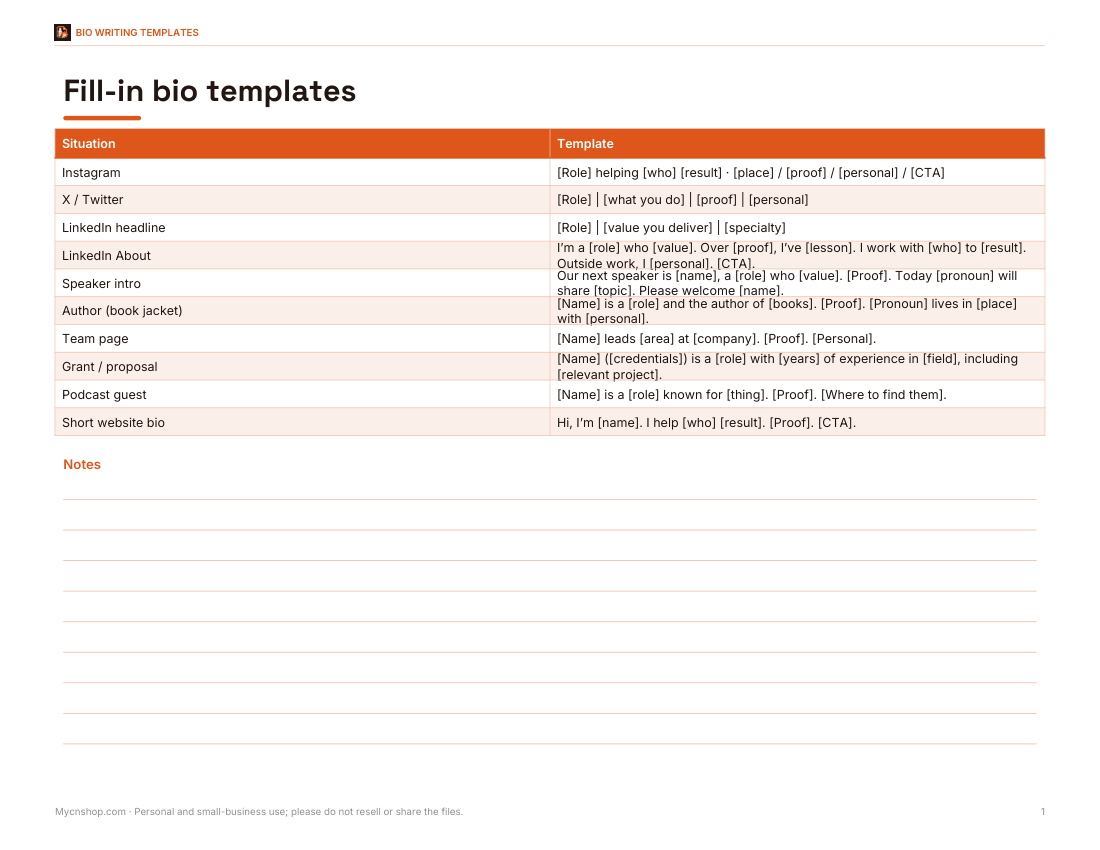
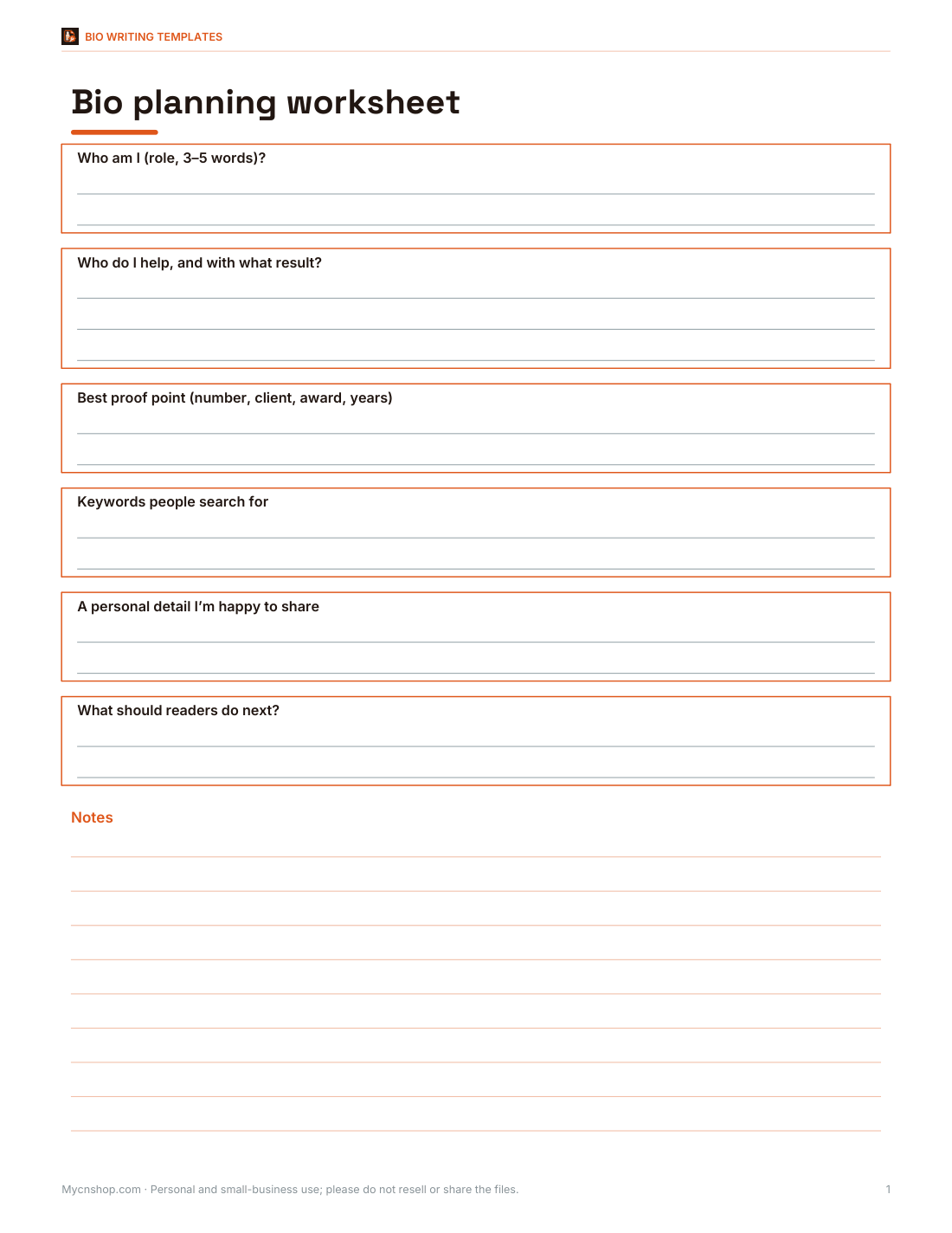
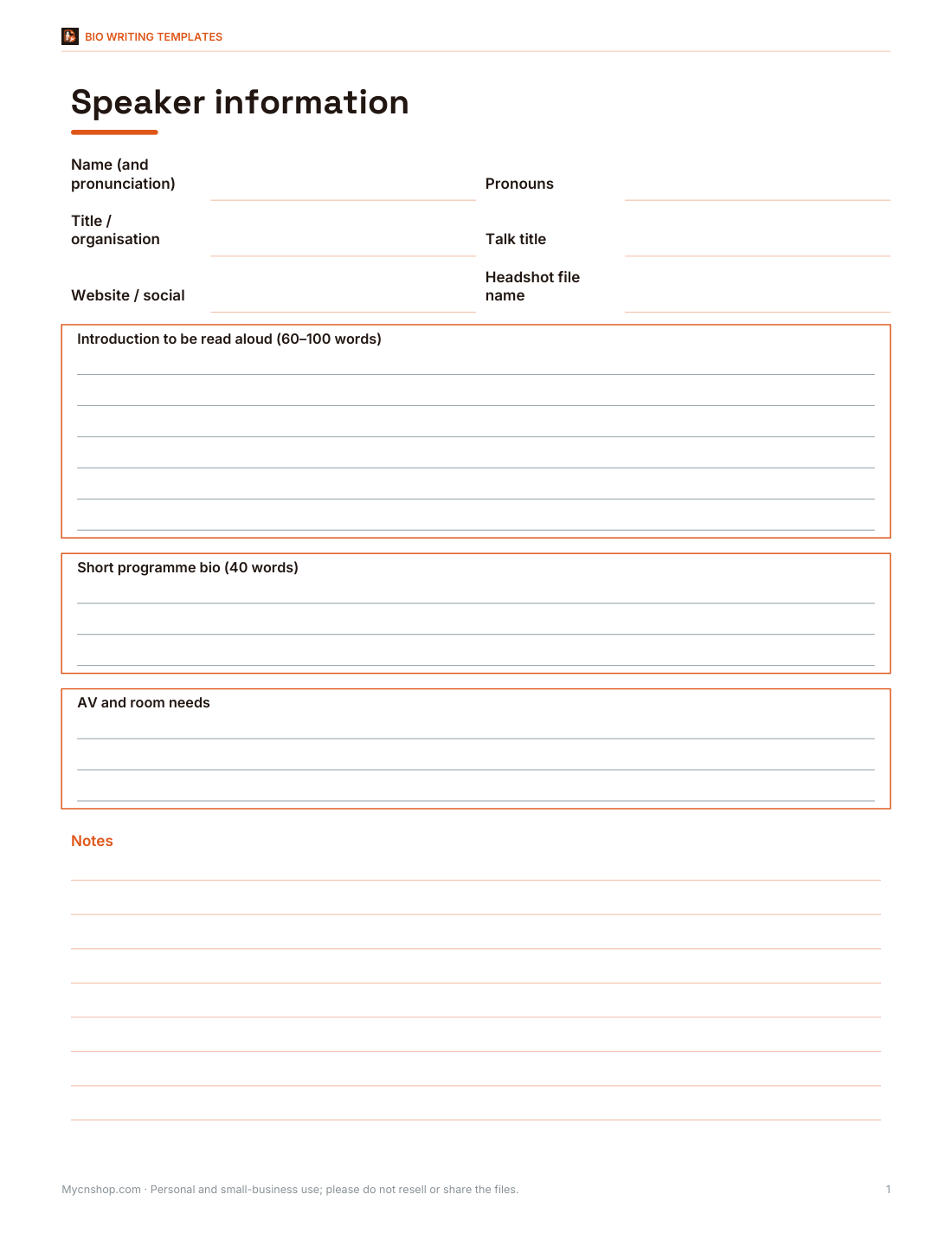
Fill-in-the-blank bio templates for ten situations, a bio planning worksheet and a speaker information sheet for event organisers.
- Bio templates (DOCX/PDF)
- Planning worksheet (DOCX/PDF)
- Speaker sheet (DOCX/PDF)
Formats: DOCX, PDF. Instant download after payment (link valid 72 hours, up to 5 downloads). AI-assisted: the templates were drafted with AI help and reviewed and laid out before publishing.
$5.00 USD, one-time 3 files · about $1.67 each
- Instant download
- 7-day refund
- Secure checkout by Stripe
7-day money-back guarantee. Full refund within 7 days of purchase, even after you download.
Full refund within 7 days — see the refund policy and license.
Free printables
Single sheets you can print right now, no sign-up. The full pack adds every sheet in one download plus the editable files.
 Bio Templates Printable Sheet
 Printable Bio Planning Worksheet
 Speaker Bio Sheet
What a good bio includes
| Element | Example | Why |
|---|---|---|
| Who you are | UX designer | Readers need to place you instantly |
| What you do / who you help | making health apps easier to use | Makes the bio relevant to the reader |
| Proof | 10 years in patient-facing design | Builds credibility |
| Personal touch | trail runner and terrible gardener | Makes you human and memorable |
| Call to action | Portfolio below | Tells people what to do next |
Character limits by platform
| Platform | Limit | Tips |
|---|---|---|
| Instagram bio | 150 characters | Line breaks, one clear call to action, link in the link field |
| X (Twitter) bio | 160 characters | One line; keywords people search for |
| LinkedIn headline | 220 characters | Role plus value: “UX Designer | Making health apps easier to use” |
| LinkedIn About | 2,600 characters | Two to four short paragraphs in first person |
| TikTok bio | 80 characters | Very short; what your videos are about |
| Speaker introduction | about 60–120 words | Written in third person, read aloud by a host |
| Author bio | about 50–150 words | Third person on book jackets; first person on your site |
Platforms change their limits from time to time; the generator checks against the limits shown in its menu.
First person or third person?
First person (“I help…”) feels direct and personal — best for social profiles, LinkedIn About sections and your own website. Third person (“Maya helps…”) sounds more formal and is expected when someone else presents you: speaker introductions, conference programmes, author bios on book jackets and company team pages. Choose one and stick to it within a bio.
How to use the generator
- Fill in your role, specialty, one proof point and one personal detail.
- Choose the platform, voice, tone and whether to include emoji.
- Click Generate to get several versions with character counts.
- Pick the closest and edit it — swap in your own words and keywords.
- Copy it to the platform and check how it looks on a phone.
Worked example
With the default details, the Instagram version reads “UX designer making health apps easier to use · Denver / 10 years in patient-facing design / Trail runner and terrible gardener / Portfolio below” on four lines — about 140 characters, under Instagram’s 150. The speaker introduction turns the same facts into a short paragraph a host can read aloud in about 20 seconds.
Bios for different careers
| Career | Lead with | Proof that works |
|---|---|---|
| Freelancer / consultant | Who you help and the result | Client types, outcomes, testimonials |
| Job seeker | Target role and core skills | Years, certifications, a key achievement |
| Creator / artist | What you make and your style | Exhibitions, audience size, publications |
| Academic / researcher | Field and research question | Institution, publications, grants |
| Small business owner | What the business offers and where | Years trading, customers served, awards |
| Student | What you study and what you want to do | Projects, internships, societies |
Common mistakes
- Listing every job title you have ever held.
- Buzzwords with no proof (“passionate, results-driven innovator”).
- Inside jokes or references only friends will get.
- An outdated role, city or achievement.
- Different bios on every platform that don’t sound like the same person.
- Forgetting the call to action — the link, email or next step.
Updating your bio
Review your bios every few months and whenever something changes: a new role, a big project, a move. Keep a master document with a long, medium and short version, so you can paste the right one when an event organiser, publisher or colleague asks for “a short bio” at short notice.
Tips for a stronger bio
- Lead with the benefit to the reader, not a list of job titles.
- Use the words people search for in your field.
- Pick one proof point that is specific — a number beats an adjective.
- Keep the personal touch short and genuine.
- Update your bio when your focus or achievements change.
- Read it aloud: if it sounds stiff, simplify.
Privacy
The generator runs in your browser. Your details are not uploaded or stored; they appear only in the bios on this page and whatever you copy.
Bio templates pack
The optional pack includes fill-in-the-blank bio templates for ten situations (social, LinkedIn, speaker, author, team page, grant application and more), a one-page bio planning worksheet and a speaker information sheet to send to event organisers. The generator above is free.
AI-assisted content
This page and the generator’s sentence patterns were drafted with AI assistance and reviewed before publishing. Always edit a generated bio so it sounds like you.
Frequently asked questions
How long can an Instagram bio be?
150 characters.
How long is the X (Twitter) bio limit?
160 characters.
Should my bio be in first or third person?
First person for social profiles and your website; third person for introductions and book jackets.
What should I put in a professional bio?
Your role, who you help, one proof point, a personal touch and a call to action.
Can I use emoji?
Yes — choose “A few” for social platforms.
Is my information saved?
No, it stays in your browser.
How long should a professional bio be?
One or two lines for social profiles, 50–150 words for websites and programmes.
Should I include my pronouns?
Many people do, especially on LinkedIn and speaker profiles; it is your choice.
Can I use the same bio everywhere?
Keep the core the same but adapt length and tone to each platform.
What is a call to action in a bio?
A short prompt telling readers what to do next, such as “Portfolio below” or “Email me to collaborate”.